
Meccha Chameleon Mod Menu
Gain the upper hand with the most advanced external Meccha Chameleon mod menu available. Full ESP overlay with skeleton tracking, smooth aimbot, minimap radar, player speed mods, and an in-game camouflage paint system. Works with the Steam version on Windows — fully external, nothing injected into game code.
Mod Menu Status
What is Mecca Chameleon?
Mecca Chameleon is a multiplayer asymmetric survival game on Steam. One team plays as Hunters — tracking and eliminating targets — while the other plays as Survivors who must blend into the environment and escape before time runs out.
The signature mechanic is dynamic camouflage: Survivors paint their character mesh to match walls, foliage, and floors in real time, becoming nearly invisible when still. Hunters counter with tracking tools, sound cues, and environmental traps across procedurally lit arenas with destructible cover.
The Meccha Chameleon mod menu reads player positions, roles, and visibility states from memory without modifying game code — extending the game's mechanics externally.
Hunter
Seek & EliminateTrack Survivors using sound cues, proximity detection, scanning abilities, and environmental traps.
Survivor
Hide & EscapeBlend in with dynamic camouflage painting, complete objectives, and reach extraction before time expires.
Features
A fully external overlay tool for Mecca Chameleon (UE5.6). All gameplay reads happen via memory — nothing is injecаted into the game's code. Built for the Steam version on Windows.
ESP Overlay
Real-time ESP with dot, 2D box, corner box, and full skeleton rendering. Includes name tags, role labels (Hunter/Survivor), distance readout, and snap lines.
Smooth Aimbot
Smooth aim assist with configurable FOV circle, rebindable hotkey, and visible-only targeting. Includes a separate Magnet snap-aim with independent strength slider.
Minimap Radar
External minimap overlay showing all player positions relative to you in real time. Configurable size (80–400px) and detection range (1,000–50,000 units).
Player Mod
Speed and jump multipliers to adjust your movement feel. Includes a Teleport Collectible hotkey for instant item pickup. Host-only feature for private lobbies.
Camouflage System
In-game mesh painting via a bridge DLL. Paint your character, stop painting, review, and unreview skins on the fly. The only component that uses a small injected bridge.
Windows Only
Designed exclusively for Windows 10/11. Runs as a standalone .exe alongside the Steam version of Mecca Chameleon in windowed or borderless mode. No Python needed.
9 Languages
Full UI available in English, German, French, Spanish, Chinese, Japanese, Korean, Russian, and Turkish. Language preference persists across sessions automatically.
In-App Updater
Checks GitHub Releases on startup and lets you download and apply the latest build directly from the menu. No need to revisit the releases page manually.
Fully External
All gameplay reads happen via memory (pymem) — nothing is injected into game code. The overlay renders separately, keeping the game process completely untouched.
How It Works
The Meccha Chameleon mod menu is a read-only overlay — it scans game memory for player data and projects it onto a separate rendering layer. Nothing is written to the game process except the optional camouflage bridge.
FNamePool
read-only
coherent copy
world → screen
separate window
Pattern Scanner
Signature-based offset discoveryLocates GUObjectArray and FNamePool via byte-pattern signatures. Object walking then enumerates all UObjects to resolve engine class addresses dynamically.
# Offset resolution at runtime
scanner = PatternScanner(process)
scanner.find("GUObjectArray")
scanner.find("FNamePool")
# Walks UStruct::ChildProperties → FField::Next
Game Reader
External memory access via pymemReads world state, camera matrix, player positions, roles (Hunter/Survivor), health, visibility flags, and bone data. All reads are read-only — the game process is never modified.
Overlay Renderer
Separate window, QPainter loopESP, health bars, radar, and aimbot FOV are painted on a transparent PyQt5 window that sits above the game. The snapshot is built off-thread, then projected through the camera view matrix on the paint thread.
# Render pipeline
snapshot = reader.capture()  # off-thread
for player in snapshot.players:
    screen = project(player.pos, cam.matrix)
    painter.draw_box(screen, player.role)
Camouflage Bridge
InjectedThe only injected component. A small bridge DLL is loaded into the game via a runtime injector. The tool communicates with it over a dynamic TCP port using an authenticated handshake to send paint commands.
# Bridge communication
bridge = CamouflageBridge(process)
bridge.connect()  # dynamic port + auth hello
bridge.paint(mesh="default", emissive=0.0)
bridge.stop()
Every feature except Camouflage operates as a pure external read. The game binary is never patched, hooked, or modified. The Meccha Chameleon cheat overlay renders on a completely separate window — the game process stays untouched.
Mod Menu in Action
ESP Overlay Active
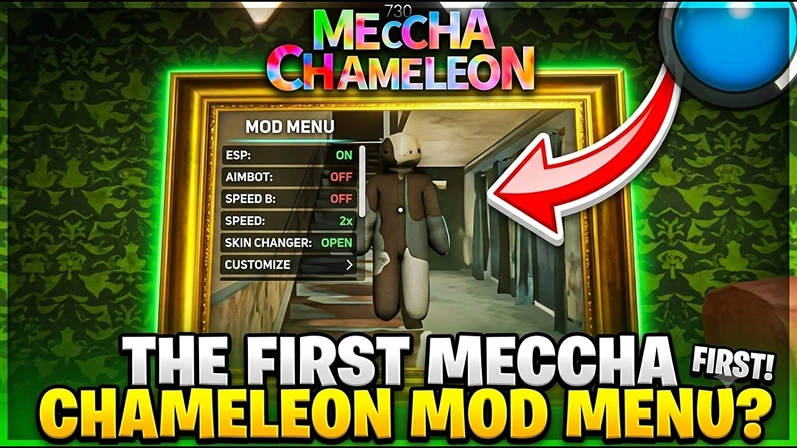
Full ESP overlay rendering skeleton, box, and corner box modes simultaneously. Role labels and distance readouts visible for every detected player in the match.
Player Mod
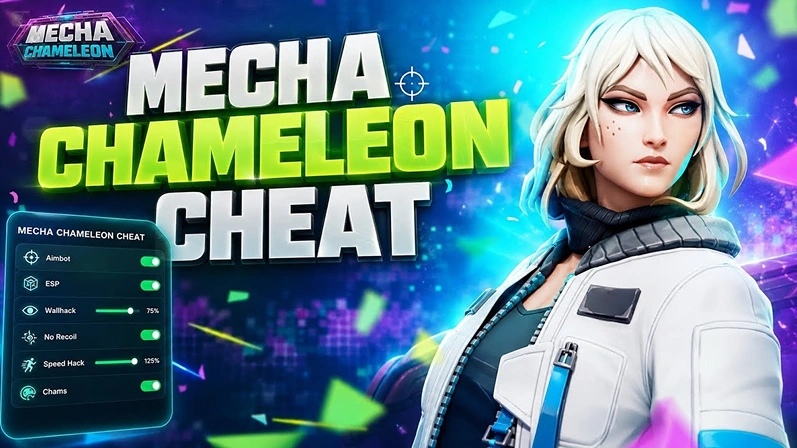
The settings menu open showing aimbot configuration with FOV circle and the minimap radar tracking all nearby players in real time.
Camouflage Paint System
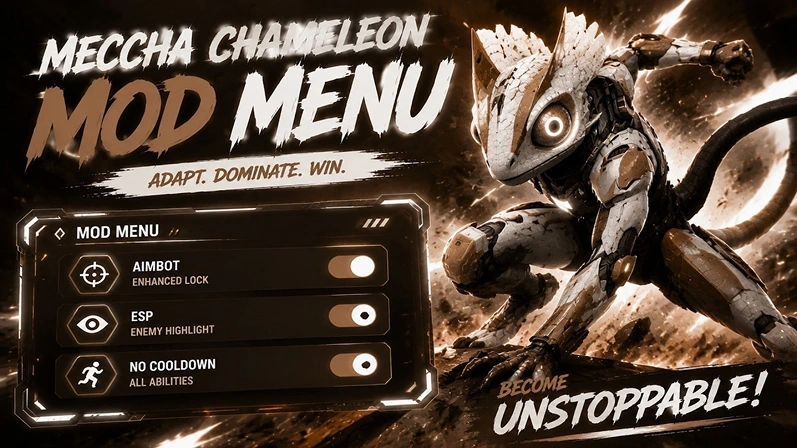
The camouflage bridge in action — painting custom mesh textures onto the player character directly inside the game world via the TCP bridge.
How to Install
Setting up the Meccha Chameleon mod menu takes under a minute. You need the Steam version of Mecca Chameleon on Windows 10 or 11. The tool runs as a standalone .exe — no Python or dependencies required.
Download the .exe
Download Meccha Chameleon Tools.exe from the latest GitHub release using the download card on this page. The file is a standalone portable executable.
Launch Mecca Chameleon on Steam
Open Mecca Chameleon via Steam. Set the game to windowed or borderless windowed mode in the video settings — the overlay cannot attach to exclusive fullscreen.
Run Meccha Chameleon Tools.exe
Run the downloaded .exe while the game is already running. The tool will auto-attach to the game process via memory read (pymem) and begin pattern scanning for UE5.6 offsets.
Open the Settings Menu
Press Insert or F1 to toggle the overlay settings menu. Tabs include ESP, Health, Visuals, Radar, Aim/Assist, Player Mod, and Camouflage.
Configure & Play
Enable the features you want — ESP skeleton, aimbot FOV, radar minimap, or camouflage paint — and jump into a match. Press END to quit the overlay at any time.
Download for Windows
Note: If Windows Security blocks the file, add %LOCALAPPDATA%\MecchaCamouflage\ as an exclusion in Virus & threat protection settings.
Latest Updates
Every release of the Meccha Chameleon mod menu is published to GitHub under the GPL-3.0 license. Below is the full changelog — from the initial ESP and aimbot foundation to the latest camouflage engine and updater patches.
Community Reviews
Players using the Meccha Chameleon mod menu share their experience with the external overlay tools.
Tyler K.
@tyler_gamerThe ESP skeleton overlay is incredibly accurate. Snap lines track every player perfectly and the role labels let me tell Hunters from Survivors at a glance. Best meccha chameleon mod menu out there.
Sarah L.
@sarah_playsSetup took 30 seconds — just ran the .exe while Mecca Chameleon was open on Steam. The aimbot smoothing feels natural, not robotic. Radar minimap is clutch for knowing where every Hunter is hiding.
Ryan J.
@rj_modsTried several meccha chameleon cheats before this one. Only fully external tool that survived the latest UE5.6 patch without crashing. Offset updates dropped within hours of the game update.
Emma M.
@emma_ue5The camouflage paint system is incredible — painting custom textures on your character mesh in real time feels like magic. 4 stars only because skeleton ESP is still WIP. Otherwise a fantastic meccha chameleon script.
David T.
@david_techLove that it reads memory externally via pymem and doesn't touch the game process at all. Borderless windowed mode works perfectly. The pattern scanner finds UE5.6 offsets automatically every time I launch.
Sam R.
@sam_chameleonThe speed and jump multipliers in Player Mod are a game changer for private lobbies. Teleport Collectible hotkey saves so much time. Host-only restriction makes sense to keep public matches fair.
Ethan L.
@ethan_lzThe in-app updater is a nice touch — checks GitHub Releases on startup and pulls the latest build right from the menu. Never had to download manually after the first time. Very reliable meccha chameleon cheat.
Chris B.
@chris_b_22Being open-source on GitHub under GPL-3.0 gives me confidence there's no hidden payload. Checked the source myself — clean pymem reads, nothing shady. The visible/not-visible coloring on ESP is incredibly useful in matches.
Troubleshooting & Common Issues
Running into problems with the Meccha Chameleon mod menu? Filter by category below to find your issue, or browse all solutions. Most problems resolve in under a minute.
The tool uses pymem to attach to the game's process by name. If the game isn't running or was launched after the tool, attachment will fail.
Meccha Chameleon Tools.exe — it will auto-attach via pattern scanning.
# Verify the game process is running:
$ tasklist | findstr "MeccaChameleon"
MeccaChameleon.exe    12480 Console    1    842,128 K
ESP requires active players in the match to display overlays. The pattern scanner must also find valid UE5.6 offsets on attach.
This is expected behavior for fast-moving or partially obscured players. The ESP snapshot is built on a separate thread and projected through the camera view matrix — a one-frame delay can cause slight trailing.
Note: Skeleton rendering is under active development (WIP). The current coherent off-thread snapshot in v1.9.1+ significantly reduced flicker compared to earlier versions.
The aimbot requires a valid target inside the configured FOV radius and the correct hotkey binding.
Player Mod writes speed and jump multipliers to game memory. This only works when you are the host of the lobby.
Y) is also host-only.
Windows Defender may flag the bridge DLL or the .exe itself because it performs memory access and DLL injection (for Camouflage). The typical error message:
Bridge warmup failed: One or more errors occurred.
(Operation did not complete successfully because the file
contains a virus or potentially unwanted software.)
# Add this folder as a Defender exclusion:
$ %LOCALAPPDATA%\MecchaCamouflage\
The Camouflage bridge injects a DLL via a loader and communicates over a dynamic TCP port with an authenticated handshake. If the label is stuck, the injection or handshake failed.
%LOCALAPPDATA%\MecchaCamouflage\.
%LOCALAPPDATA%\MecchaCamouflage\ — the tool creates a fresh staging folder on each launch.
# Clean up stale bridge staging folders:
$ cd %LOCALAPPDATA%\MecchaCamouflage
$ rmdir /s /q bridge-*
# Then relaunch the tool
In v1.9.2+ the emissive tuning fields were added to fix this. If your painted character glows, adjust the emissive values.
emissive and fill_emissive to 0.0 in the mesh profile JSON.
// mesh-profiles/default.json
{
  "emissive": 0.0,
  "fill_emissive": 0.0,
  "color": [0.2, 0.4, 0.1, 1.0]
}
Frequently Asked Questions
Common questions about the Meccha Chameleon mod menu — setup, features, compatibility, and safety.
.exe from the Releases page — no accounts, no keys, no payment required.
pymem — nothing is modified in the game process. The only exception is the Camouflage feature, which uses a small bridge DLL for in-game mesh painting via TCP.
.exe includes everything — no Python or extra dependencies needed.
pymem without modifying the game process, which makes it harder to detect than injected cheats. However, no cheat can guarantee 100% safety. Use at your own risk and review the disclaimer on the GitHub repository.
pymem for Windows process memory access and PyQt5 for the overlay rendering. There are no plans for Mac or Linux support.